Download AWS Certified Alexa Skill Builder - Specialty.AXS-C01.ExamTopics.2025-07-11.58q.vcex
| Vendor: | Amazon |
| Exam Code: | AXS-C01 |
| Exam Name: | AWS Certified Alexa Skill Builder - Specialty |
| Date: | Jul 11, 2025 |
| File Size: | 123 KB |
| Downloads: | 1 |
How to open VCEX files?
Files with VCEX extension can be opened by ProfExam Simulator.
Discount: 20%

Demo Questions
Question 1
An Alexa Skill Builder receives feedback from users that a specific utterance causes Amazon Alexa to trigger the skill's AMAZON.HelpIntent rather than triggering the correct intent and slot.
How can the Builder reproduce this behavior to troubleshoot the problem?
- Use the AWS Lambda test feature to send a request with the given intent and slot combination.
- Set up a unit test in the code base to simulate what happens when the given intent and slot combination are dispatched within the skill.
- Use the Manual JSON tab on the Test page of the developer console to see what happens when a request for the given intent and slot combination is sent to the skill
- Use the Alexa Simulator tab on the Test page of the developer console to test the utterances the users have reported.
Correct answer: B
Question 2
An Alexa Skill Builder wants to add a short audio clip to a skill with SSML. The Builder records a 6-second audio clip using a high-end microphone and recording application and exports the file with a bitrate of 48 kbps. The file is then uploaded to a public Amazon S3 bucket.
The Builder then updates the SSML to return:

When testing the skill, Amazon Alexa responds with "There was a problem with the requested skill's response" every time.
How should the Builder resolve this error?
- Record a shorter audio clip.
- Re-export the audio file with a smaller bitrate.
- Re-export the audio file to .mp3 instead of .wav
- Update the interaction model to enable the AudioPlayer interface
Correct answer: B
Question 3
An Alexa Skill Builder has published a skill to the Alexa Skills Store, but soon after realizes that Amazon Alexa is saying an incorrect word in one of the responses.
What is the recommended method for the Builder to correct this issue?
- Correct the response in a new endpoint, and after updating the In Development version of the skill, redeploy it.
- Access the In Development version of the skill, alter the intent that was causing the incorrect word, then resubmit the skill for certification.
- Edit the response in a new endpoint, and after updating the In Development version of the skill, resubmit it for certification.
- Correct the response in the existing endpoint of the Live version of the skill, then redeploy it.
Correct answer: A
Question 4
An Alexa Skill Builder wants to name a skill using a company's branded acronym, "NAT Systems."
Which invocation name is valid?
- n a t systems
- n-a-t systems
- n. a. t. systems
- NAT Systems
Correct answer: D
Explanation:
Reference:https://developer.amazon.com/en-US/docs/alexa/custom-skills/choose-the-invocation-name-for-a-custom-skill.html Reference:
https://developer.amazon.com/en-US/docs/alexa/custom-skills/choose-the-invocation-name-for-a-custom-skill.html
Question 5
An Alexa Skill Builder is creating a skill that requires the user to authenticate by speaking a PIN before an order status can be retrieved.
According to best practices, how should the PIN value be collected?
- Use AMAZON.SearchQuery
- Use AMAZON.FOUR_DIGIT_NUMBER
- Use multiple slots of type AMAZON.NUMBER
- Use a custom slot with zero to nine as values.
Correct answer: D
Question 6
An Alexa Skill Builder published a skill that streams sounds to help users relax. The skill is becoming very popular and is available in many different locales around the world. More than 20.000 users are using the skill every week, and more than 500 users are added daily. The sound files are stored in Amazon S3.
What can the Builder do to ensure low latency and the best possible streaming performance?
- Use Amazon CloudFront to deliver content and cache the audio files across different geographical regions.
- Migrate the sound files from Amazon S3 into Amazon Redshift to speed up the read operations.
- Use Elastic Load Balancing to handle the traffic generated by the increasing number of users.
- Enable cross-region replication on the Amazon S3 bucket policy to improve the skill's performance.
Correct answer: D
Explanation:
Reference:https://developer.amazon.com/en-US/docs/alexa/devconsole/measure-skill-usage.html Reference:
https://developer.amazon.com/en-US/docs/alexa/devconsole/measure-skill-usage.html
Question 7
An Alexa Skill Builder is developing a skill using AWS Lambda. The Builder made some backend code changes, then tested the skill on an Amazon Echo device.
When invoking the skill, Amazon Alexa replies with "There was a problem with the requested skill's response".
How can the Builder troubleshoot this problem?
- Use Amazon CloudWatch to check the most recent execution log and see if an error is present.
- Use Amazon DynamoDB and export a copy of the log database, then search for error messages.
- Use the developer console to rebuild the model, then invoke the skill again with the invocation name.
- Use the developer console to add AMAZON.LaunchRequest to the interaction model, rebuild the model, then invoke the skill again.
Correct answer: D
Explanation:
Reference:https://developer.amazon.com/blogs/alexa/post/0d8c5234-3c7a-4b77-9906-b43a5310bde4/5-common-error-messages-for-custom-alexa-skills-and- how-to-troubleshoot-them Reference:
https://developer.amazon.com/blogs/alexa/post/0d8c5234-3c7a-4b77-9906-b43a5310bde4/5-common-error-messages-for-custom-alexa-skills-and- how-to-troubleshoot-them
Question 8
While developing a skill, an Alexa Skill Builder finds that the voice response is too quick and needs to be slowed down.
How can the Builder MOST efficiently iterate and test how the response will sound?
- Make changes in the skill code, deploy it, and test it on the device.
- Modify the SSML in the skill, save it, and check Amazon CloudWatch for errors.
- Edit the SSML in the skill and use the Alexa Simulator tab on the Test page of the developer console.
- Use the Voice & Tone tab on the Test page in the developer console.
Correct answer: A
Question 9
An Alexa Skill Builder needs to change the invocation name of a new skill.
What status should the skill be in to make this change?
- In Development
- Build
- In Certification
- Edit
Correct answer: D
Explanation:
Reference:https://developer.amazon.com/en-US/docs/alexa/custom-skills/choose-the-invocation-name-for-a-custom-skill.html Reference:
https://developer.amazon.com/en-US/docs/alexa/custom-skills/choose-the-invocation-name-for-a-custom-skill.html
Question 10
An Amazon Alexa interactive story skill needs to provide users with the option to resume the skill from where users left off when they last used the skill.
Where should the data be stored to ensure that the skill will start at the correct location?
- In a JSON file along with the skill's AWS Lambda function
- In Amazon DynamoDB
- In the skill's session object
- In the skills's request object
Correct answer: C
Explanation:
Reference:https://developer.amazon.com/en-US/docs/alexa/in-skill-purchase/add-isps-to-a-skill.html Reference:
https://developer.amazon.com/en-US/docs/alexa/in-skill-purchase/add-isps-to-a-skill.html
Question 11
An Alexa Skill Builder is developing a custom skill and needs to verify that the correct slot values are being passed into the AWS Lambda function.
According to best practices, what is the MOST efficient way to capture this information?
- Add a logging statement to write the event request to Amazon CloudWatch Logs.
- Add an API call to write the environment variables to an Amazon S3 bucket when the function is invoked.
- Add an API call to read the event information from AWS Cloud Trail logs and add a PutObject API call to write to an Amazon S3 bucket.
- Add a statement to parse the JSON request and save to the local disk for the Lambda function
Correct answer: D
Explanation:
Reference:https://developer.amazon.com/en-US/docs/alexa/custom-skills/validate-slot-values.html Reference:
https://developer.amazon.com/en-US/docs/alexa/custom-skills/validate-slot-values.html
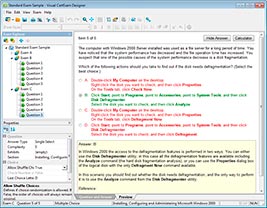
HOW TO OPEN VCE FILES
Use VCE Exam Simulator to open VCE files
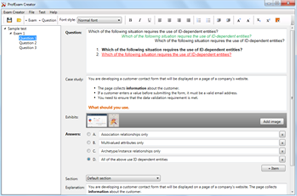
HOW TO OPEN VCEX AND EXAM FILES
Use ProfExam Simulator to open VCEX and EXAM files
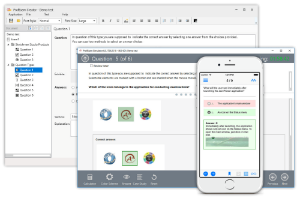
ProfExam at a 20% markdown
You have the opportunity to purchase ProfExam at a 20% reduced price
Get Now!